This article provides a neutral, data-driven comparison of four mobile development approaches for enterprise applications. All assessments are based on publicly available benchmarks, industry reports, and practical development experience with ERP-class applications.
The Problem Every Enterprise Team Faces
Enterprise teams need mobile access to ERP systems: dashboards, approval workflows, KPIs, real-time notifications — all in a single app. The question that divides every development team:
How do we build it? And more importantly: how do we minimize time-to-market and cost without sacrificing quality?
- •Hybrid PWA (Ionic + Capacitor) — Web technologies in a native shell
- •React Native (Expo / bare workflow) — JavaScript with native rendering
- •Flutter (Dart + Skia) — Custom rendering engine, single codebase
- •Native (Swift / Kotlin) — Platform-specific development
This article breaks down each approach with measurable criteria — no dogma, just data.
What an Enterprise Mobile ERP Requires
Before comparing frameworks, it's important to define what a typical enterprise mobile ERP application demands:
- •Multiple dashboard views with complex chart visualizations (bar, line, pie, radar, gauge, funnel, heatmap, etc.)
- •Real-time data streaming (SSE, WebSockets)
- •Multilingual support including RTL layouts (Arabic, Kurdish)
- •Dynamic theming with dark/light mode
- •Workflow management with approvals, delegation, and comments
- •Offline capability for field operations
- •Integration with existing ERP backends (SAP, Oracle, custom APIs)
The Decision Matrix
Each approach is rated on a scale of 1 (poor) to 5 (excellent), weighted by importance for enterprise mobile applications.
Weighted Decision Matrix — Enterprise Mobile ERP
| Criterion | Weight | Hybrid PWA (Ionic) | React Native | Flutter | Native (Swift/Kotlin) |
|---|---|---|---|---|---|
| Time-to-Market | 20% | ★★★★★(5) | ★★★★(4) | ★★★★(4) | ★★(2) |
| Codebase Unity | 15% | ★★★★★(5) | ★★★★(4) | ★★★★★(5) | ★(1) |
| Web Compatibility | 15% | ★★★★★(5) | ★★(2) | ★★★(3) | ★(1) |
| UI Flexibility | 10% | ★★★★★(5) | ★★★(3) | ★★★★(4) | ★★★★★(5) |
| Performance (60fps) | 10% | ★★★★(4) | ★★★★(4) | ★★★★★(5) | ★★★★★(5) |
| Native API Access | 10% | ★★★★(4) | ★★★★★(5) | ★★★★(4) | ★★★★★(5) |
| Ecosystem / Libraries | 5% | ★★★★★(5) | ★★★★★(5) | ★★★(3) | ★★★★(4) |
| Team Availability | 5% | ★★★★★(5) | ★★★★(4) | ★★★(3) | ★★(2) |
| Maintenance Effort | 5% | ★★★★(4) | ★★★(3) | ★★★★(4) | ★★(2) |
| Update Deployment | 5% | ★★★★★(5) | ★★★★(4) | ★★★(3) | ★★(2) |
| Weighted Score | 100% | 4.70 | 3.70 | 3.95 | 2.80 |
Deep Dive: Time-to-Market
For enterprise projects billed on time & material, development speed directly impacts project cost. Every week saved is budget preserved.
Development Timeline Comparison
| Milestone | Hybrid PWA | React Native | Flutter | Native |
|---|---|---|---|---|
| Setup to first screen | 2 hours | 4 hours | 3 hours | 8 hours (×2 platforms) |
| Dashboard with 8 charts | 1 week | 2 weeks | 2 weeks | 3 weeks ×2 |
| i18n + RTL support | 2 days | 3 days | 2 days | 4 days ×2 |
| Complete ERP MVP | ~10 weeks | ~16 weeks | ~14 weeks | ~24 weeks |
Why is Hybrid faster? HTML/CSS is the most universal UI toolkit in existence. Any web developer can be immediately productive. No JSX-to-native bridge debugging. No widget learning curve. No parallel Xcode + Android Studio setups.
In a time & material engagement, choosing Hybrid PWA over Native development can reduce initial delivery costs by up to 50% — while maintaining the same feature scope.
Web Compatibility — The Underestimated Factor
This is the strongest advantage of Hybrid PWA — and the most underestimated in framework comparisons.
Web & Cross-Platform Capabilities
| Scenario | Hybrid PWA | React Native | Flutter | Native |
|---|---|---|---|---|
| Test app in browser | npm run dev | react-native-web (limited) | Flutter Web (beta quality) | |
| Installable as PWA | manifest.json + SW | |||
| Desktop dashboard version | Same codebase | Separate project | Adjustments needed | |
| CI/CD without iOS device | Headless Chrome | Detox needs simulator | ||
| Customer web portal | Same code | New project | Partial reuse |
For enterprise clients, the ability to deploy the same application as a native mobile app AND a web dashboard is a significant cost advantage. One codebase, three deployment targets — with zero duplication.
Same ERP dashboard running as iOS app, Android app, and browser PWA
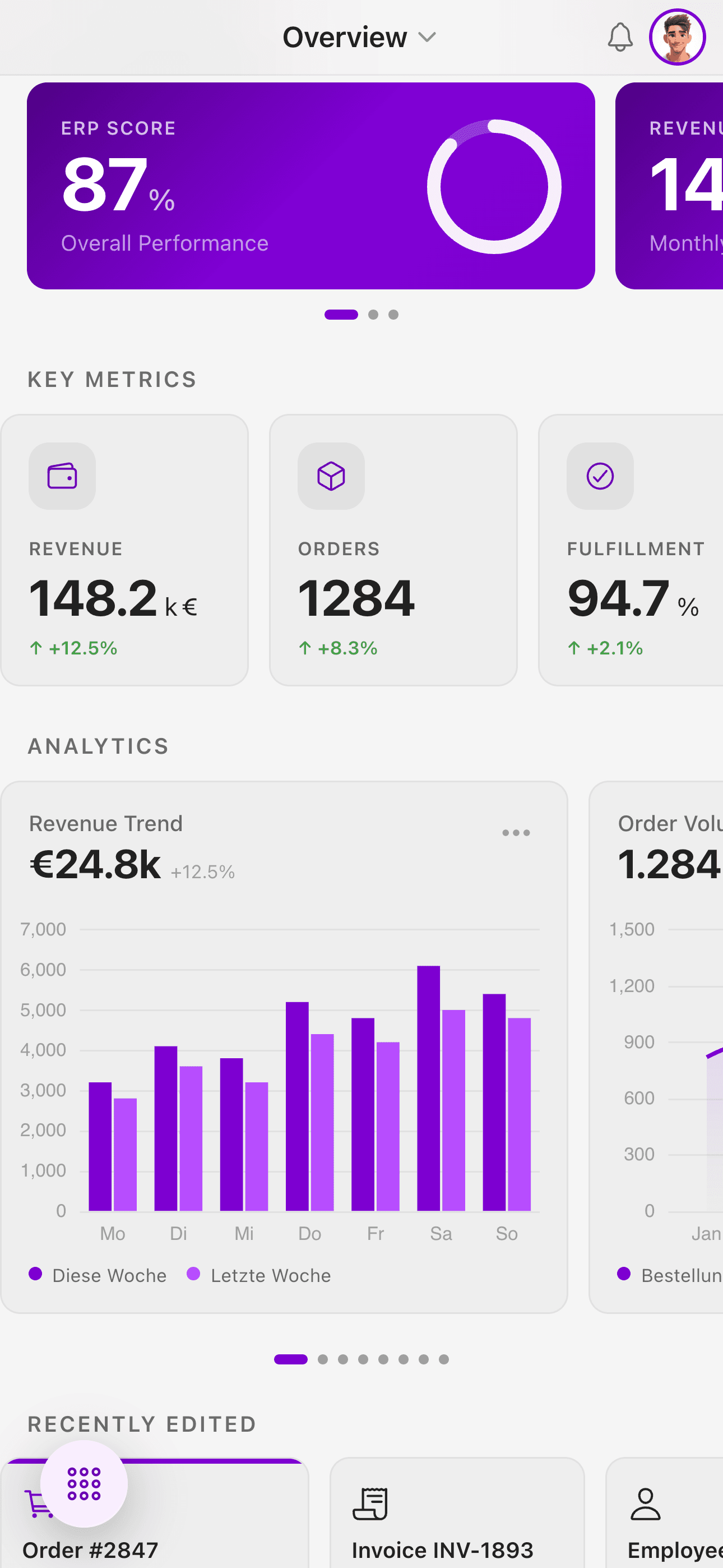
iOS App
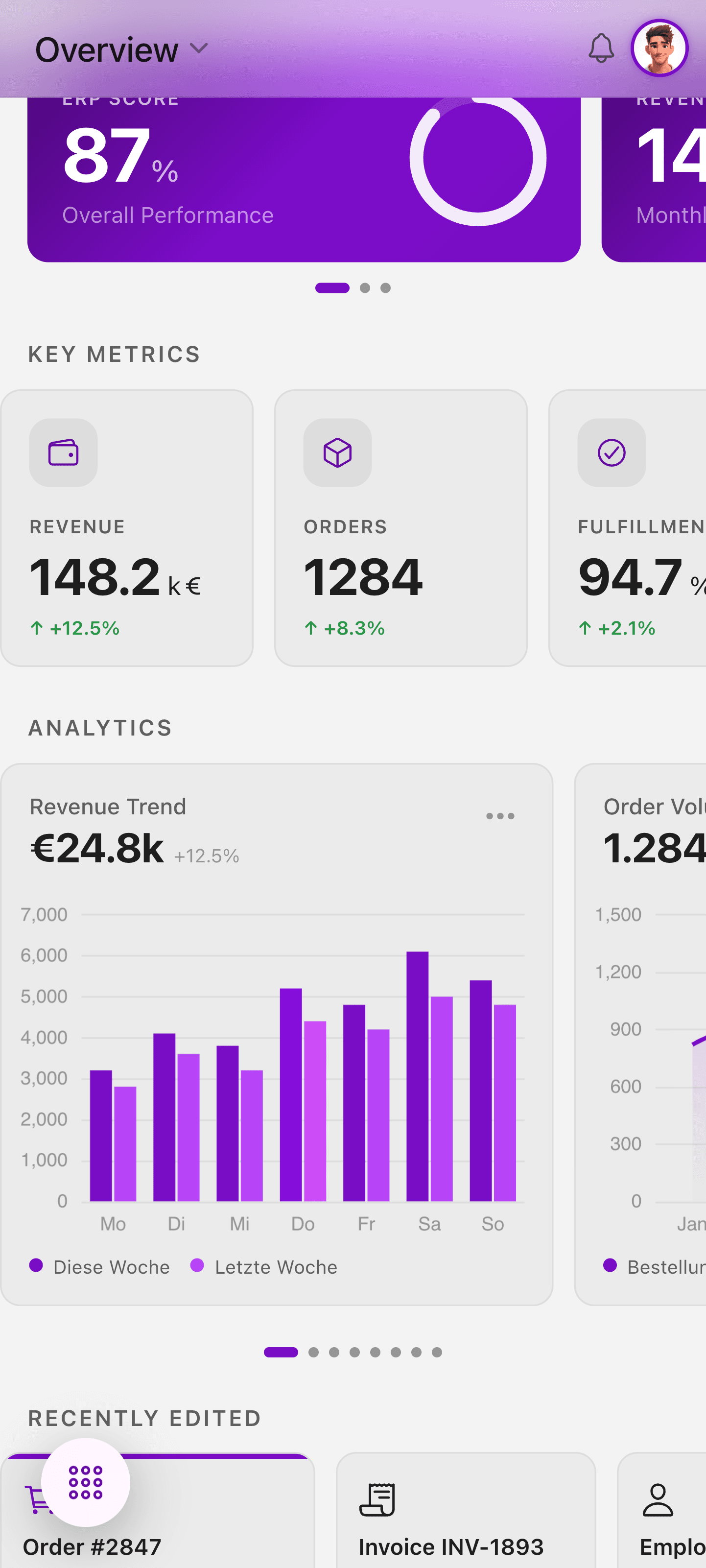
Android App
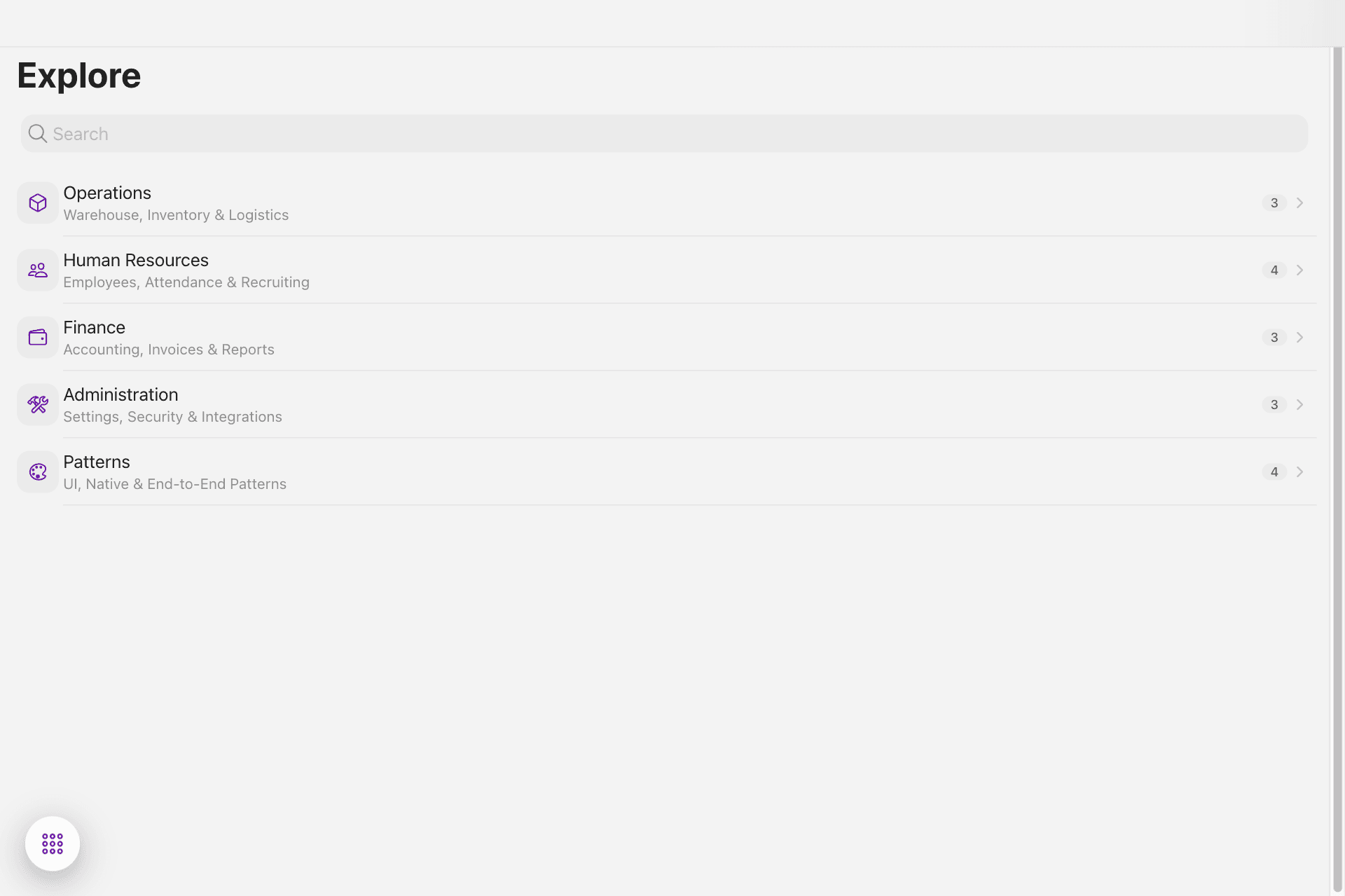
Browser PWA
UI Flexibility & Data Visualization
ERP applications are not social media apps. They require complex charts, data tables with filters, custom theming, glassmorphism effects, and RTL layout support for international markets.
UI & Visualization Feature Support
| Feature | Hybrid PWA | React Native | Flutter | Native |
|---|---|---|---|---|
| Apache ECharts (9+ chart types) | Direct DOM | WebView wrapper | WebView or limited fl_chart | Per-platform charting lib |
| CSS Glassmorphism | backdrop-filter | Custom implementation | BackdropFilter widget | UIVisualEffectView |
| CSS Grid / Flexbox | Native support | Yoga (subset) | Own layout engine | Auto Layout / Compose |
| CSS Variables + Theming | 200+ tokens | StyleSheet only | ThemeData | Platform themes |
| RTL Layout | dir="rtl" | I18nManager | Directionality | Native RTL |
Charting is often the dealbreaker. No React Native charting library offers 9+ chart types with the feature depth of Apache ECharts. With Hybrid PWA, ECharts runs directly in the DOM — zero wrappers, zero compromises.
ERP Dashboard mit verschiedenen Chart-Typen — Apache ECharts im DOM
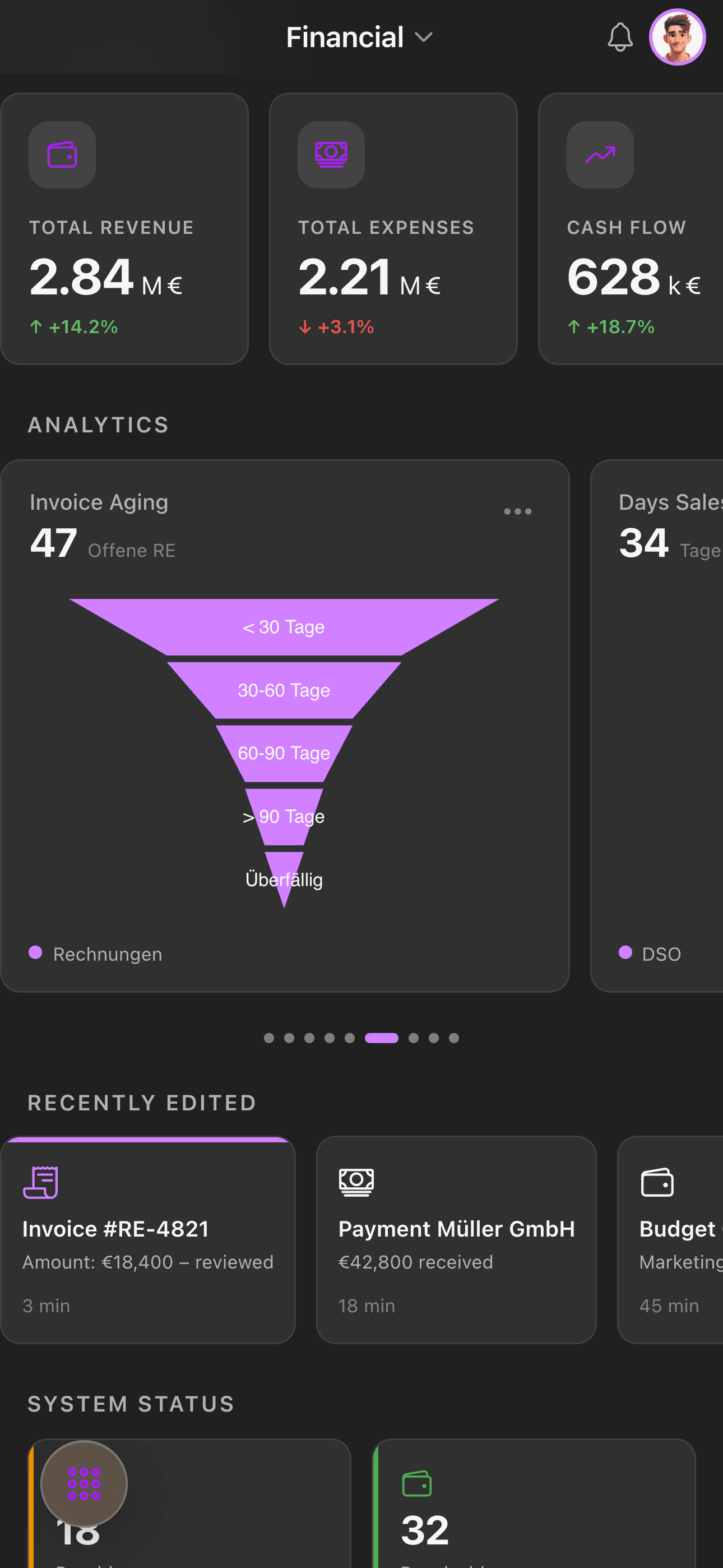
Charts 1
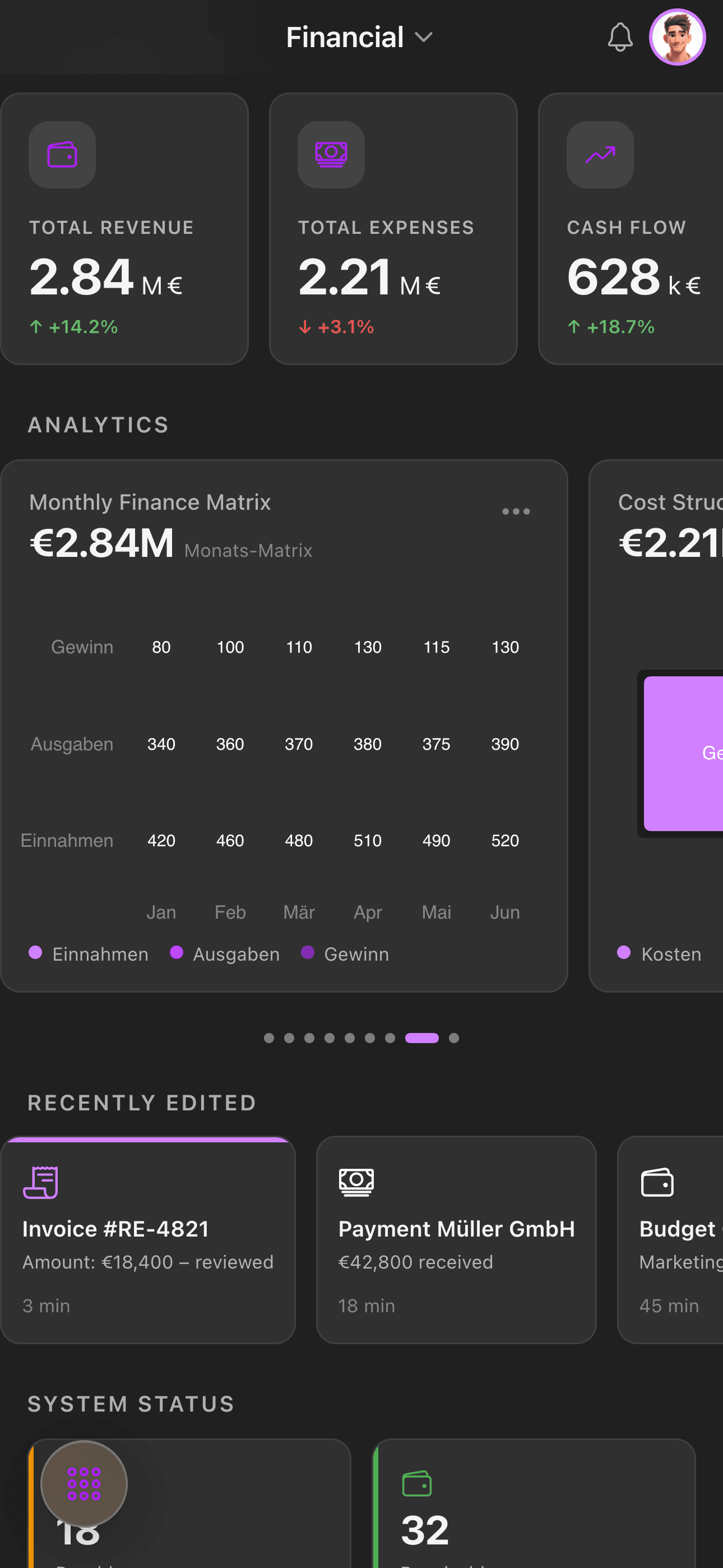
Charts 2
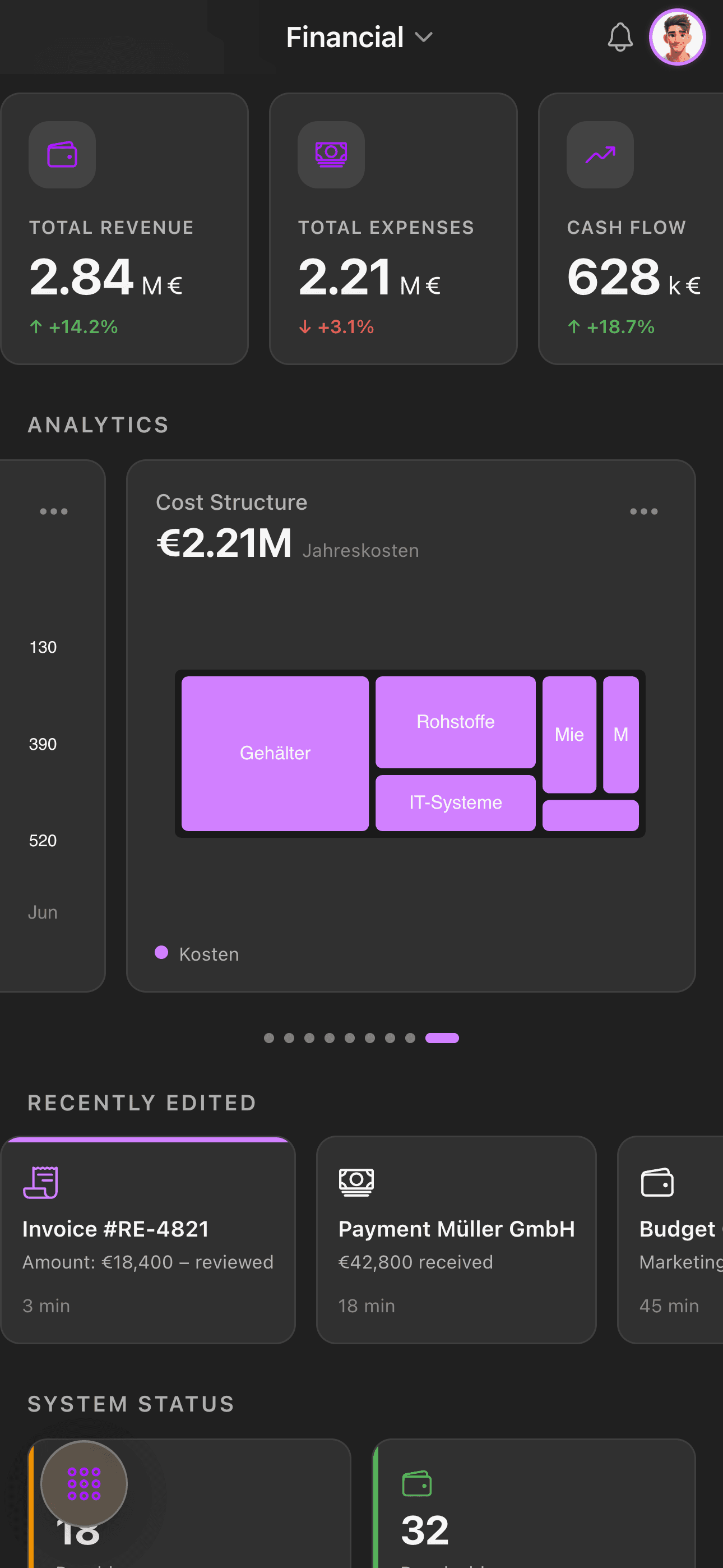
Charts 3
Performance — A Realistic Assessment
For ERP applications, performance is not a differentiating criterion. Here's why:
Real-World Performance Benchmarks
| Metric | Hybrid PWA | React Native | Flutter | Native |
|---|---|---|---|---|
| Cold start | ~1.5s | ~1.2s | ~0.8s | ~0.5s |
| List with 100 items | 60fps | 60fps | 60fps | 60fps |
| Scroll performance | 60fps (Ionic optimized) | 60fps (FlatList) | 60fps (Sliver) | 60fps |
| 8 chart render | ~200ms | ~300ms (WebView) | ~250ms | ~200ms |
| RAM usage | ~120MB | ~100MB | ~80MB | ~60MB |
Modern Ionic 8 with hardware acceleration delivers smooth 60fps on any recent smartphone. The difference to native is imperceptible in an ERP context. If you're building games or camera apps, go native. If you're building dashboards and forms — the gap is irrelevant.
Native API Access
Native API Coverage by Platform
| API | Hybrid (Capacitor) | React Native | Flutter | Native |
|---|---|---|---|---|
| Camera | Plugin | Module | Plugin | |
| File System | @capacitor/filesystem | react-native-fs | path_provider | |
| Haptic Feedback | @capacitor/haptics | react-native-haptic | HapticFeedback | |
| Push Notifications | Plugin | Module | firebase_messaging | |
| Biometrics | Plugin | react-native-biometrics | local_auth | |
| Background Tasks | Limited | Headless JS | workmanager | |
| Bluetooth | Community plugin | react-native-ble | flutter_blue |
Capacitor 6 has closed the native API gap. For 95% of enterprise ERP use cases, official plugins are sufficient. Only Bluetooth scanners or complex background sync scenarios require community plugins or custom native code.
Team Efficiency & Talent Market
Team & Hiring Considerations
| Factor | Hybrid PWA | React Native | Flutter | Native |
|---|---|---|---|---|
| Developers needed | 1 (web stack) | 1–2 (React + native debugging) | 1–2 (Dart learning curve) | 2–4 (Swift + Kotlin) |
| Market availability | ★★★★★ | ★★★★ | ★★★ | ★★ |
| Onboarding time | 1 week | 2 weeks | 3 weeks | 4 weeks ×2 |
| Skill transfer | Web ↔ Mobile | React ↔ RN | Dart isolated | Platform-isolated |
In a time & material model, team efficiency has a direct multiplier effect on cost. A single senior web developer can build a full ERP mobile app with Hybrid PWA. With native development, the same scope requires 2–3 developers — doubling or tripling the burn rate.
Maintenance & Update Deployment
Long-Term Maintenance Comparison
| Factor | Hybrid PWA | React Native | Flutter | Native |
|---|---|---|---|---|
| Framework updates | Rarely breaking | Frequently breaking | Medium | Annually (WWDC / Google I/O) |
| Dependency management | Low (npm) | High (native linking) | Medium (pub.dev) | Low |
| OTA updates | PWA service worker | CodePush | Shorebird (new) | App Store only |
| Hotfix without store | Web deploy | CodePush | ||
| App Store review | 1–3 days | 1–3 days | 1–3 days | 1–3 days |
The ability to deploy hotfixes without App Store review is critical for enterprise applications. A critical bug in a financial dashboard cannot wait 3 days for Apple's review process.
App Size & Distribution
An often overlooked advantage of Hybrid PWA is the dramatically smaller app size. A fully-featured ERP application built with Ionic + Capacitor can ship at around 500 KB — a fraction of what native or cross-platform alternatives require.
Typical App Size Comparison (Full ERP Application)
| Approach | iOS App Size | Android App Size | Notes |
|---|---|---|---|
| Hybrid PWA (Ionic) | ~500 KB | ~2 MB | Web assets only, no bundled runtime |
| React Native | ~15–25 MB | ~20–35 MB | Includes JavaScript engine (Hermes/JSC) |
| Flutter | ~15–20 MB | ~15–25 MB | Includes Skia rendering engine + Dart runtime |
| Native (Swift/Kotlin) | ~10–20 MB | ~10–20 MB | Platform SDK included in OS |
Why does this matter? Smaller apps download faster, consume less storage, and face fewer installation barriers — especially in markets with limited bandwidth or storage-constrained devices. For enterprise rollouts across hundreds or thousands of devices, every megabyte adds up.
A 500 KB PWA installs instantly — no App Store wait, no storage warnings, no download progress bar. For field workers, warehouse staff, or sales teams who need immediate access, this is a significant practical advantage.
Cost Analysis: 12-Month Project (iOS + Android)
The following comparison assumes a single enterprise ERP mobile application deployed on both iOS and Android, developed over 12 months.
Relative Cost Comparison (Hybrid PWA = 1.0×)
| Cost Factor | Hybrid PWA | React Native | Flutter | Native |
|---|---|---|---|---|
| Personnel (developer cost) | 1× Senior Web | 1× Senior RN + 0.5× Native | 1× Senior Flutter | 1× iOS + 1× Android |
| Relative personnel cost | 1.0× | 1.3× | 1.2× | 2.0× |
| Infrastructure | Equal | Equal | Equal | Equal |
| Testing effort | 1.0× | 1.3× | 1.1× | 2.0× |
| Annual maintenance | 1.0× | 1.5× | 1.2× | 2.0× |
| Total cost (relative) | 1.0× | 1.4× | 1.2× | 2.0× |
When Hybrid PWA Is NOT the Answer
Honesty is essential in any serious technology assessment. Hybrid PWA is not optimal for every use case:
Use Cases Where Other Approaches Excel
| Use Case | Better Choice | Reason |
|---|---|---|
| GPU-intensive apps (3D, AR) | Native / Flutter | WebGL limitations |
| CPU-intensive real-time (video editing) | Native | WebView overhead |
| Offline-first with large datasets | Native / RN | SQLite performance |
| Smartwatch / CarPlay | Native | No Capacitor plugins |
| Apps with >50,000 list elements | React Native (FlatList) / Native | Virtualization |
| Camera apps with custom processing | Native | Pixel-level access |
For ERP applications, none of these limitations apply. ERP is dashboards, forms, lists, charts, and workflows — exactly what web technology does best.
Architecture Highlights: What Hybrid PWA Enables
The following architectural patterns demonstrate capabilities that are trivial with web technology but significantly more complex with native approaches.
1. Design Token System (200+ CSS Variables)
CSS Custom Properties
--color-brand-500: #7D01D1;
--space-4: 16px;
--radius-card: 16px;
--ease-out: cubic-bezier(0.16, 1, 0.3, 1);
Code examples are provided for illustrative purposes only. Use at your own risk.
One change propagates through the entire application. With native development, you'd need a separate token system per platform.
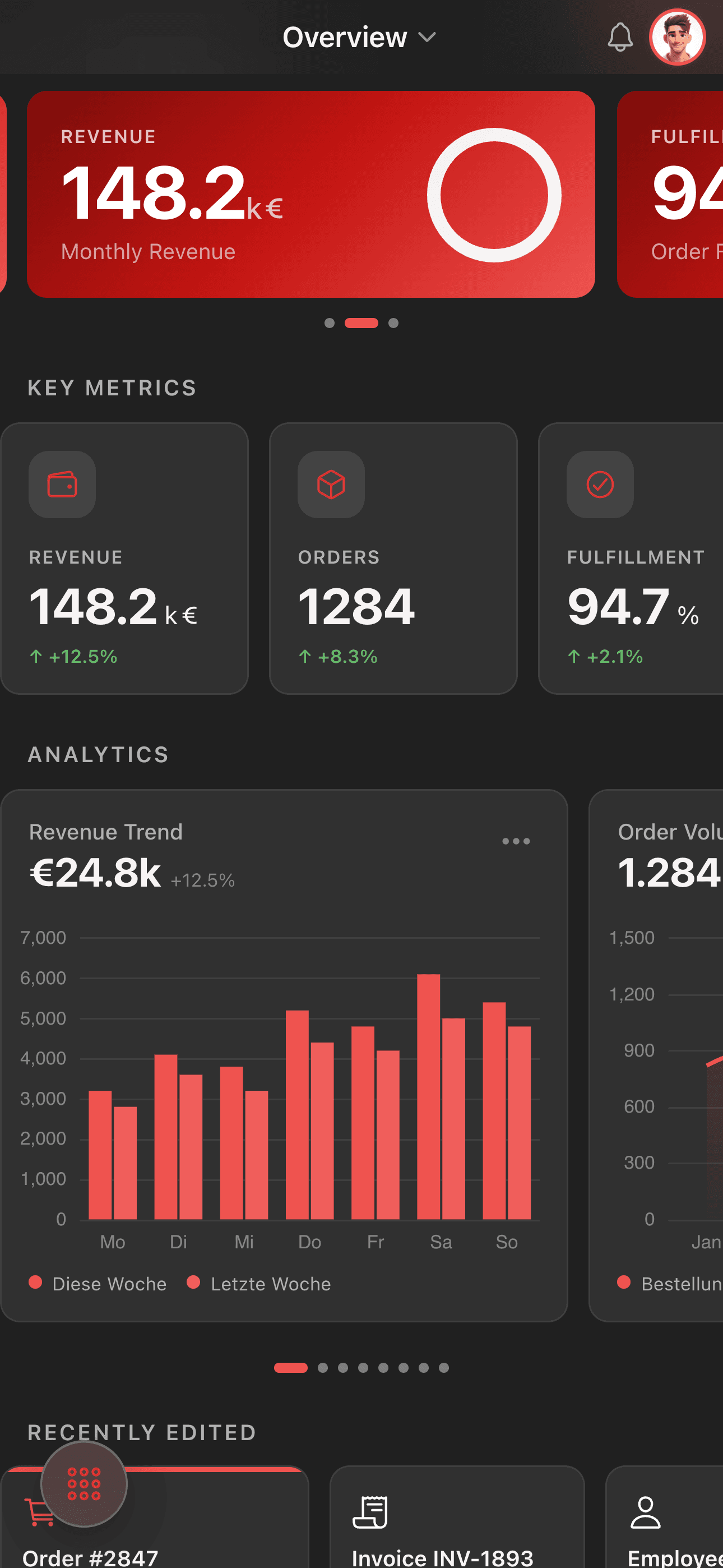
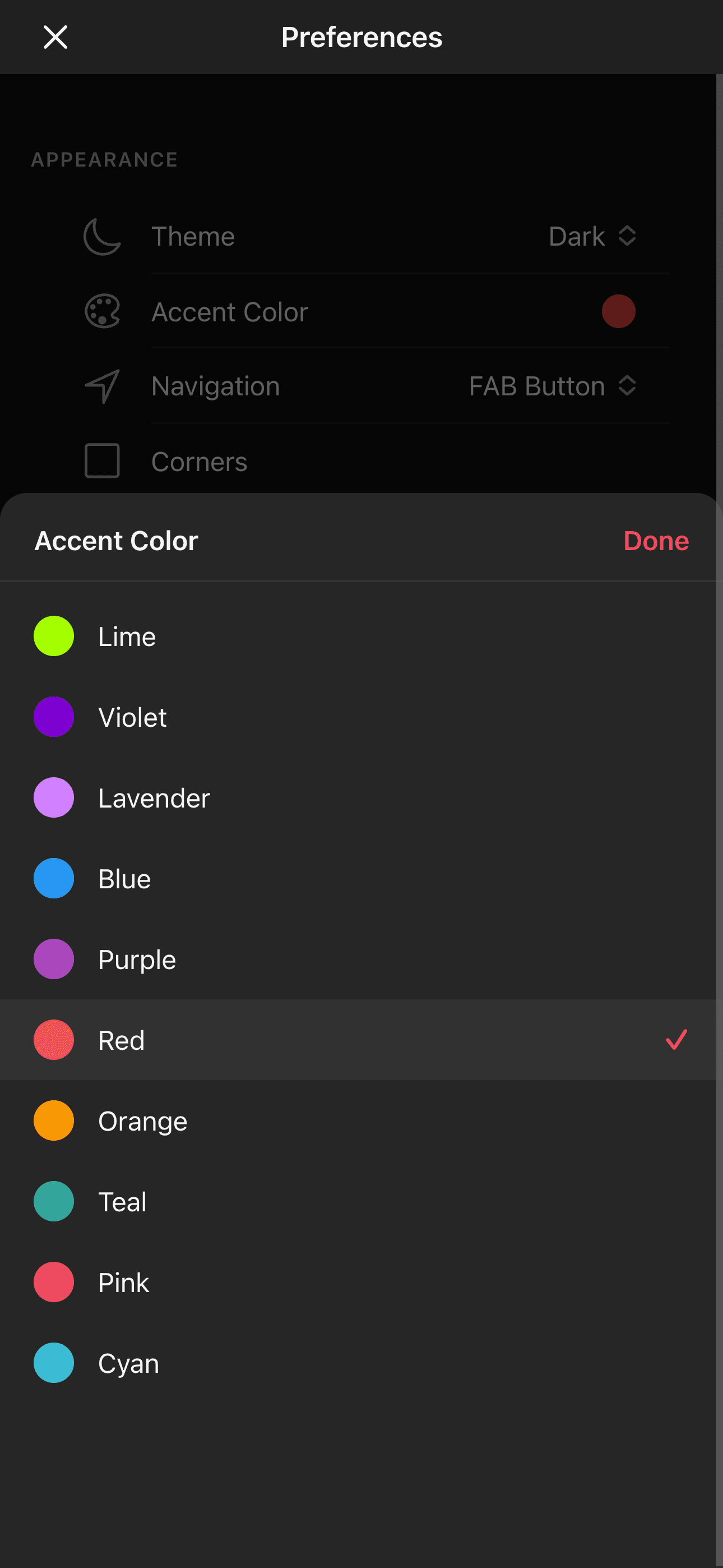
2. Dynamic Accent Color Generation
A single hex value generates 10 color shades for a complete live theme update. In CSS, this is trivial. In SwiftUI or Jetpack Compose: significantly more code.
Dynamic Theme Switching — drei verschiedene Accent Colors in Echtzeit
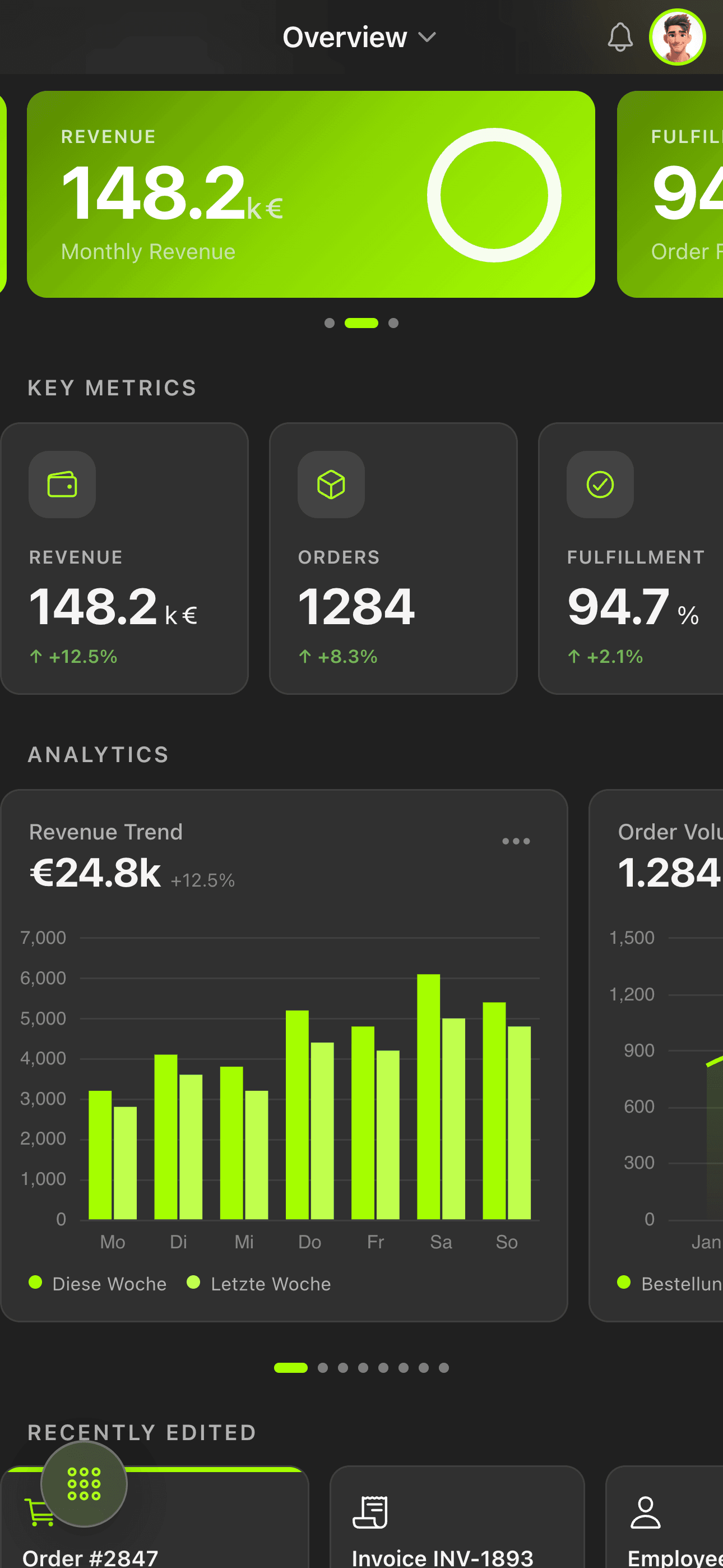
Theme 1
Theme 2
Theme 3
3. RTL Layout with a Single Line
RTL Activation
document.documentElement.setAttribute('dir', 'rtl');Code examples are provided for illustrative purposes only. Use at your own risk.
CSS logical properties + RTL direction — the entire app mirrors itself. In native development: layout constraint adjustments per screen.
LTR (English) vs RTL (Arabic) — same ERP dashboard
LTR (English)
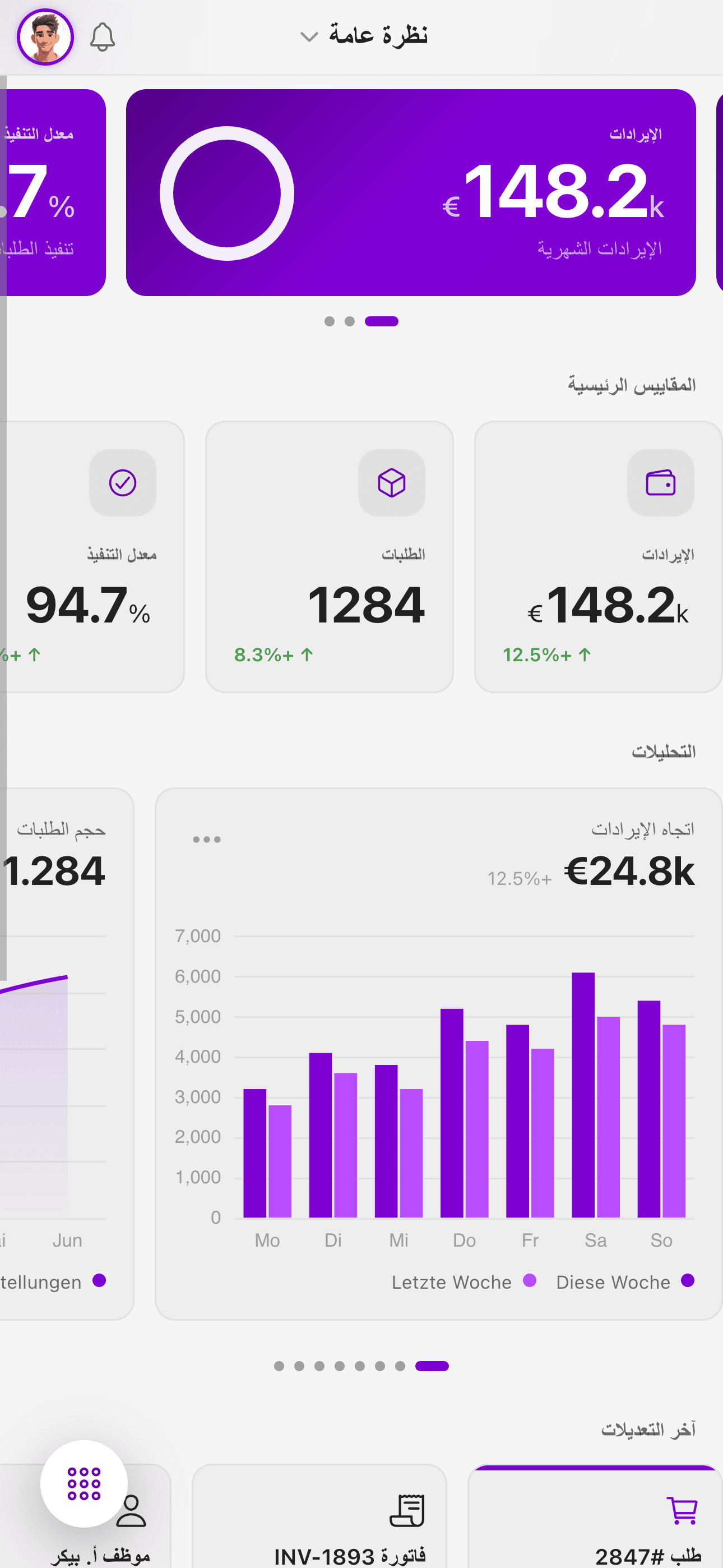
RTL (Arabic)
4. AI Assistant with SSE Streaming
Server-Sent Events in the Browser
const response = await fetch('/api/chat', { method: 'POST' });
const reader = response.body.getReader();
// Stream tokens directly — no native module needed
Code examples are provided for illustrative purposes only. Use at your own risk.
Direct fetch() with ReadableStream. No native module for Server-Sent Events. No platform-specific HTTP client.
5. Glassmorphism in One Line
CSS Glassmorphism
backdrop-filter: blur(40px) saturate(180%);Code examples are provided for illustrative purposes only. Use at your own risk.
One line of CSS. In React Native: @react-native-community/blur + platform-specific configuration. In native: UIVisualEffectView (iOS) or RenderEffect (Android).
Glassmorphism — frosted glass UI mit Blur und Saturation
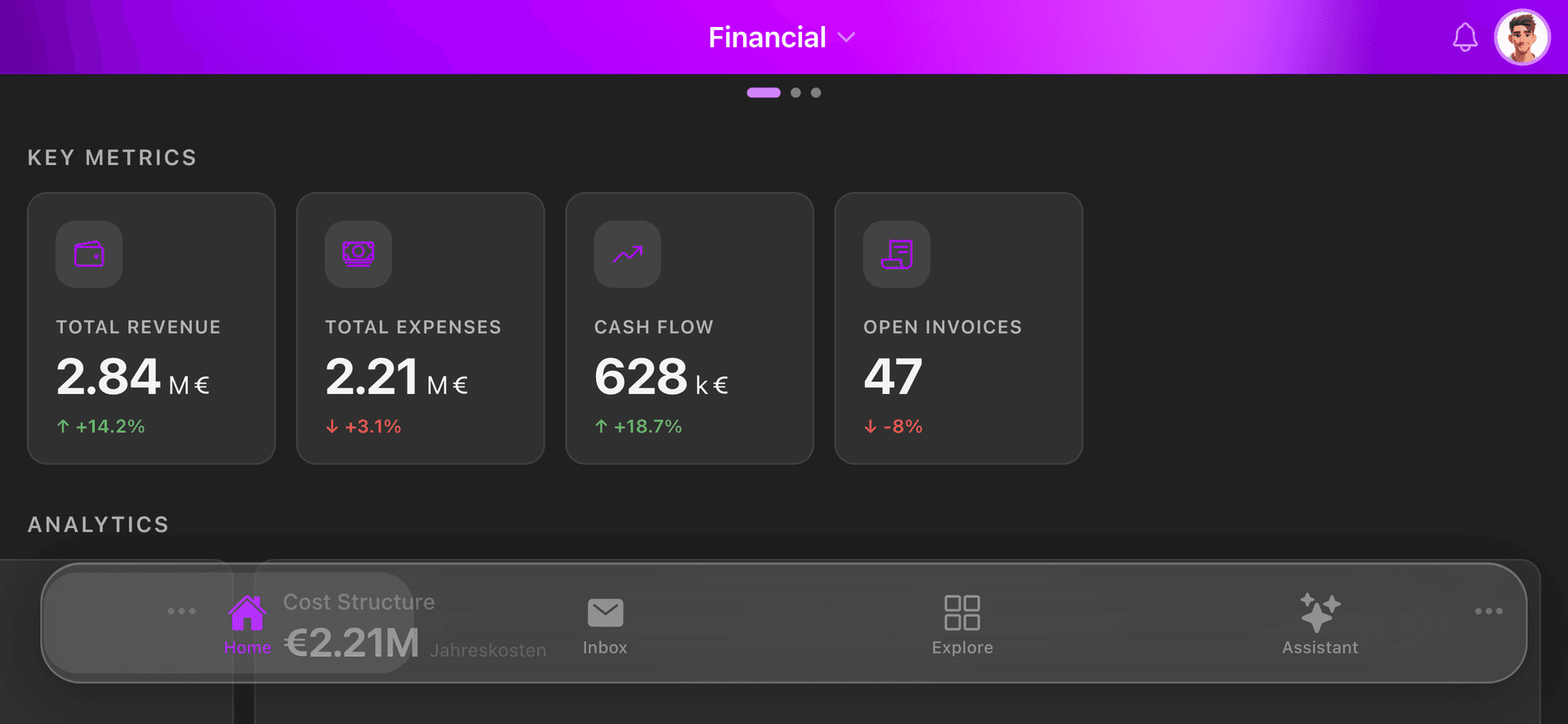
Glass Design 1
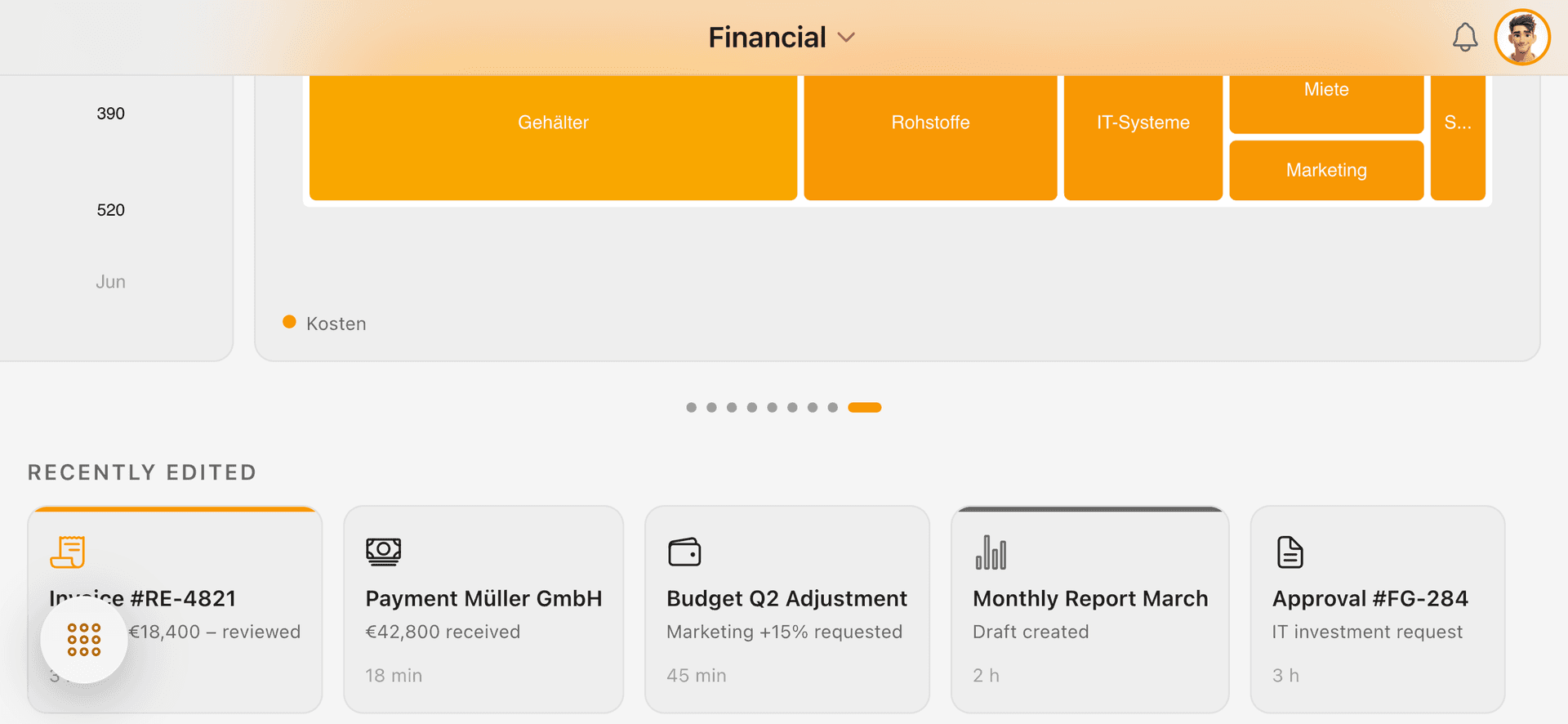
Glass Design 2
Interactive Decision Helper
Not sure which approach fits your project? Walk through this interactive decision tree:
Which mobile development approach fits your project?
Does your app require GPU-intensive features like 3D rendering, AR, or complex real-time video processing?
Conclusion
The arguments against hybrid mobile development are from 2018. Capacitor 6, Ionic 8, and modern browser engines on iOS and Android have closed the performance gap. What remains are the unbeatable advantages:
- •One developer, one stack, three platforms (iOS, Android, Web)
- •Web skills directly applicable — zero relearning
- •CSS is the most powerful UI toolkit — glassmorphism, grid, flexbox, animations, RTL
- •Instant browser testing — no simulator startup
- •OTA updates without App Store — critical for enterprise
- •Lowest total cost in a time & material engagement
For enterprise mobile applications — ERP dashboards, workflow apps, data visualization tools — Hybrid PWA with Ionic + Capacitor delivers the best balance of speed, cost, flexibility, and maintainability in 2026.
The bottom line: In a time & material model, Hybrid PWA cuts delivery cost by 30–50% compared to native, while delivering the same feature scope — plus a free web version. For enterprise teams, that's not just a technical decision. It's a business decision.